Convert one file
Install uf (a Mac with Apple silicon, or Linux with a Vulkan GPU; Windows through WSL2):
curl -fsSL https://ultrafast.mov/install.sh | sh # or: brew install ultrafastmov/tap/ultrafastultrafast renders documents, so the Lottie goes into a short one: a frame size, a frame rate, a length, and a lottie node pointing at the file.
{
  "version": 1,
  "format": { "width": 1080, "height": 1920, "fps": 30, "duration": 5.967 },
  "output": "logo",
  "nodes": {
    "logo": { "op": "lottie", "params": { "src": "lottie-logo.json", "size": [1080, 1920], "loop": false } }
  }
}$ uf export logo.json logo.mp4
exported 179 frames (1080x1920 @ 30 fps, mp4 h264, standard) in 0.15 s = 1167 fps, 0 readbacks -> logo.mp4durationis the Lottie's frame count over its frame rate: itsopminusip, divided byfr. This file has 179 frames at 30 fps, so 5.967 s.sizefits the animation into a box, keeping its proportions. The paths are drawn again at that size, not scaled up from pixels, so a 375×667 animation is as sharp at 1080×1920 or 4K as at its own size.loopis on by default and repeats the animation to fill a longer video; withfalseit plays once.uf check logo.jsonlists anything in the file that won't import, before you render.
From pressing Enter to a finished file took 0.51 s warm, of which 0.15 s was the export itself and the rest was start-up.
Every format from the same document
The output format follows the file name; flags set the codec, size and transparency. Times are wall clock from the command to the file, warm, on one RTX 5090 workstation with the published 0.2.1 binary. The first four rows export logo.json from above (5.967 s). The rest export logo2.json, the same document pointed at lottie-logo-2.json (12.6 s), whose background is transparent.
| Output | Command | Time | File |
|---|---|---|---|
| MP4, H.264, 1080×1920 | uf export logo.json logo.mp4 | 0.51–0.54 s | 118 KB |
| MP4, HEVC | uf export logo.json logo.mp4 --codec hevc | 0.48–0.51 s | 88 KB |
| MP4, 4K (2160×3840) | uf export logo.json logo-4k.mp4 --size 4k | 0.9 s | 255 KB |
| GIF, 540×960 | uf export logo.json logo.gif --size 540x960 | 1.3 s | 104 KB |
| MP4, H.264, 12.6 s | uf export logo2.json logo2.mp4 | 0.61–0.69 s | 1.5 MB |
| ProRes 4444 with alpha | uf export logo2.json logo2.mov --codec prores --alpha | 3.3–3.4 s | 124 MB |
| WebM (VP9) with alpha | uf export logo2.json logo2.webm --alpha | 6.1 s | 1.4 MB |
| PNG frames with alpha | uf export logo2.json 'frames/{frame:05}.png' --alpha | 1.5 s | 378 files |
- H.264 and HEVC are encoded on the GPU straight from the rendered frames. ProRes, VP9, GIF and PNG are encoded on the CPU, which is why they take longer. ProRes took 3.3–3.4 s on each of six runs.
- The transparent files are really transparent: the ProRes is 4444 with 12-bit alpha (
yuva444p12le), and the WebM carries VP9's alpha channel. In a frame decoded from each, 85 % of the pixels are fully transparent. They drop into Premiere Pro, Final Cut Pro, DaVinci Resolve or a web page. --fps 60renders more frames between the Lottie's keyframes, and--fromand--toexport part of it. The full list is in the CLI reference.
A whole folder of Lottie files
uf batch renders one video per row of a sheet, and each row can set the file, the size, the frame rate and the length. The template is the same short document, on white:
{
  "version": 1,
  "format": { "width": 512, "height": 512, "fps": 30, "duration": 3 },
  "output": "out",
  "nodes": {
    "bg": { "op": "solid", "params": { "color": "#ffffff" } },
    "anim": { "op": "lottie", "params": { "src": "anim.json", "loop": false } },
    "out": { "op": "over", "inputs": { "fg": "anim", "bg": "bg" } }
  }
}
A few lines of Python read each file's size, frame rate and length and write the sheet:
import csv, glob, json, os, sys

rows = []
for path in sorted(glob.glob("lottie/*.json")):
    a = json.load(open(path))
    scale = max(1, 512 / max(a["w"], a["h"]))           # draw small icons at 512 px or more
    w, h = round(a["w"] * scale / 2) * 2, round(a["h"] * scale / 2) * 2   # even sizes for H.264
    rows.append({"name": os.path.basename(path)[:-5], "anim.src": os.path.abspath(path),
                 "anim.size": json.dumps([w, h]), "format.width": w, "format.height": h,
                 "format.fps": a["fr"], "format.duration": (a["op"] - a["ip"]) / a["fr"]})
out = csv.DictWriter(sys.stdout, fieldnames=list(rows[0]))
out.writeheader()
out.writerows(rows)$ python3 rows.py > rows.csv
$ uf batch template.json --data rows.csv --out 'mp4/{name}.mp4'
1/212 mp4/AndroidWave.mp4: 123 frames in ...
...
212 videos in 35.2 sThat run converted 212 Lottie files from lottie-android's test set, 923 seconds of animation, in 35.2 s, and so did the next two runs. uf batch checks every row before it renders the first one, so a file that can't load stops the run with its row number instead of failing halfway. Swap .mp4 for .webm and add --alpha (and drop the white bg) to get transparent files instead. How the sheet works is in Personalized videos from a CSV.
Change the colours, or anything else
The lottie node keeps the file as it is. To change it, uf import-lottie brings the animation into your document as ordinary nodes: every shape a path with its own colour, stroke, trim and keyframes, and every group and layer transform a transform node. The Lottie logo came in as 49 paths, 244 transforms, 47 over nodes that stack them, and a mask.
uf import-lottie lottie-logo.json --size 1080,1920 --name logo --into restyle.json
# then place it: { "op": "logo", "params": { "position": [0, 0] } }
The document is plain JSON, so a palette swap is one jq command. This is the one that made the middle panel of the clip above:
jq '(.components.logo.nodes[] | select(.op == "path") | .params.color) |=
  if . == [0, 0.82, 0.76, 1] then "#f3e9d6"
  elif . == [0, 0.48, 0.53, 1] then "#ff5a1f"
  elif . == [1, 1, 1, 1] or . == "#ffffff" then "#1d1a16"
  else . end' restyle.json > restyled.json
uf check restyled.json && uf export restyled.json restyled.mp4
A coding agent can make the same kind of change from a sentence ("make the teal background cream and the dark strokes orange"), because each colour, stroke width and keyframe is a field it can read and set. To look before exporting, uf sheet restyled.json puts nine frames on one image.
Inside a longer video
A lottie node is a layer like any other. Give it a position, scale or opacity, put it over footage, a title or a background with an over node, and time it with a timing window. The clip at the top of this page is one document: two lottie nodes, the imported and recoloured copy, a checkerboard and three labels, exported in one pass.
"p1": { "op": "lottie", "params": { "src": "lottie-logo.json", "size": [315, 560], "position": [84, 60], "loop": false } },
"p3": { "op": "lottie", "params": { "src": "lottie-logo-2.json", "size": [315, 560], "position": [882, 60], "loop": false } },
"o1": { "op": "over", "inputs": { "fg": "p1", "bg": "bg" } }Captions, music, a voiceover, grain and the rest of the engine's 70 ops work around it in the same render. The document format is in The document.
How close it is to lottie-web
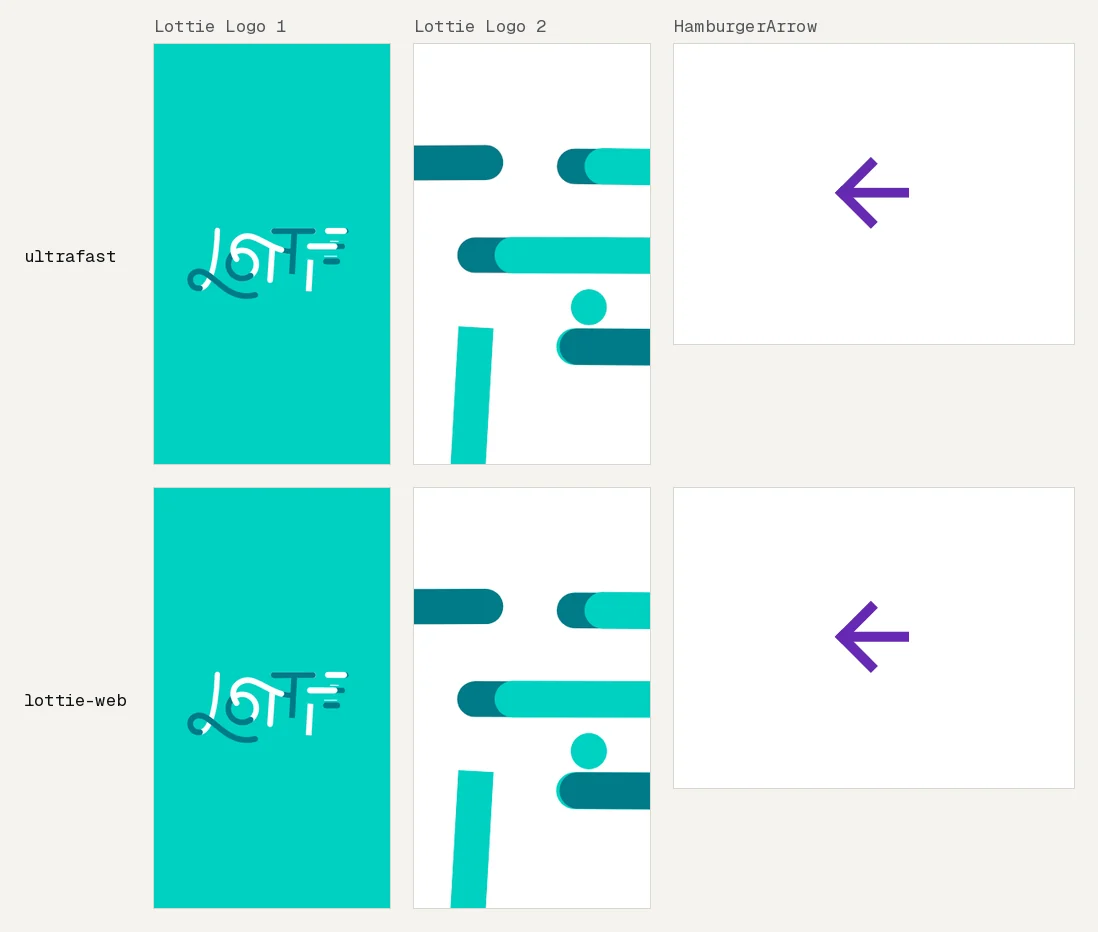
ultrafast doesn't run lottie-web, the reference player. It reads the Lottie file itself and draws it with its own renderer, so the fair question is how often the two agree. To measure it, the 217 Lottie files in lottie-android's snapshot tests (its lottiefiles folder plus the four samples) were rendered at 10, 30, 50, 70 and 90 % of their length, by ultrafast and by lottie-web 5.13.0's SVG renderer in headless Chromium, both on white at the file's own size. A pixel counts as different when any colour channel is off by more than 40 of 255.
| Of 217 files | 0.2.1 | 0.2.0 |
|---|---|---|
| Imported with no warnings | 103 | 103 |
| Didn't load: image files missing from the test set | 5 | 5 |
| Didn't load: a layer scaled to exactly 0 (see below) | 0 | 4 |
| Compared with lottie-web | 212 | 208 |
| … worst frame within 1 % of pixels | 128 | 113 |
| … within 2 % | 154 | 137 |
| … within 5 % | 177 | 165 |
In 0.2.1, files that import without warnings match more often: 93 of 99 are within 5 %, against 84 of the 113 files with warnings. Of the 35 files that differ by more than 5 %, 29 raised a warning when they were imported. These are the warnings in the set, with how many files raised each one:
| Warning | Files | What you get instead |
|---|---|---|
| merge paths are not imported | 58 | the shapes are drawn without being merged |
| layer effects are not imported | 29 | no After Effects effects (blurs, glows, fills) |
| After Effects expressions are not run | 23 | loopOut, wiggle and time run; other expressions keep their keyframes |
| separated x/y position keys are merged | 14 | x and y are keyed together at every key time of either, so the easing between keys can differ |
| 3D layers are flattened | 7 | drawn flat |
| time remapping is not imported | 7 | the layer plays at its own speed |
| gradient strokes use a solid stroke | 6 | one colour |
| mask modes other than add combine as add | 4 | subtract and intersect masks add |
| rounded corners on paths are not imported | 4 | sharp corners |
| skew is not imported | 3 | no skew |
| paragraph text boxes are set as point text | 3 | no wrapping box |
| animated gradient colours use their first key | 2 | a still gradient |
Some differences come with no warning: 6 of the 99 warning-free files differ by more than 5 %. Two causes found in this test are fixed in 0.2.1. A stroke with a width of 0 was filled in the stroke's colour, and now draws nothing, as in lottie-web. A layer whose scale is keyed to exactly 0, a common way to pop something in, stopped uf check and the render with transform is not invertible (zero scale); it now shows nothing at that moment and grows as keyed. The four files that stopped on it now render. Of the other 208 files' 1,040 frames, 129 are closer to lottie-web than in 0.2.0, and none is further off by more than 0.002 % of its pixels.
To check your own file, run uf check on a document that uses it (it lists every warning), then look: uf sheet logo.json renders nine frames onto one image to compare with the file playing in a browser.
If something looks wrong
- A .lottie file. dotLottie files aren't read directly. A
.lottiefile is a zip archive: unzip it and pointsrcat the JSON inside itsanimationsfolder. - Missing images. Images embedded in the JSON (base64) import as they are. Images the file links to are looked for next to the JSON, in the folder its asset names.
uf checkreports a missing one by path. - Text in the wrong font. Text layers use the family named in the file's font list: an installed font of that name, or else the Google Fonts family of that name, downloaded once. If it's neither, install the font, or change the family on the imported
textnode. - A tiny frame. NVENC, the video encoder on NVIDIA GPUs, refuses frames below a minimum size that depends on the GPU and the codec. 0.2.0 stopped with an error there; 0.2.1 encodes those videos through ffmpeg on the CPU and prints a note saying so. The 13 smallest files in the test set, 140×112 down to 46×22, all exported at their own size. For an icon that will be shown large, render it at 512 px or more: the paths stay sharp.
- Anything listed in the warnings above. If the effect matters, fix it in the source file (expand the merge, bake the expression to keyframes) and export again from After Effects or your Lottie editor.
- No GPU. The Docker image renders on the CPU through Mesa, correctly but much more slowly.
Other ways to convert Lottie to video
- lottie-web in headless Chrome: puppeteer-lottie, Remotion's
@remotion/lottieand HyperFrames' Lottie converter play the file in the reference player and capture each frame from a browser page. Whatever lottie-web supports comes out as it does in a browser, and HyperFrames also reads dotLottie files. How browser capture compares with ultrafast on ordinary videos is in Benchmarks. - rlottie converters, such as the ones made for Telegram stickers, write WebM, WebP or GIF.
- Upload sites convert one file at a time in the browser, usually with a size limit and sometimes a sign-in.
- No Lottie yet? If what you have is a static SVG logo, ultrafast can animate it directly: see Animate an SVG logo.
- After Effects itself, if you have the project the Lottie was exported from: render from the source and nothing is lost. The ways to automate it, and to replace it with code, are compared in After Effects alternatives.
Use ultrafast when you want speed on your own machine, many files at once, ProRes 4444 or WebM with alpha from one command, the animation recoloured or edited before rendering, or the Lottie as one layer of a longer video. Use a lottie-web renderer when a file depends on effects, merge paths or expressions that ultrafast doesn't import, or when you need dotLottie support.
Questions
How do I convert a Lottie JSON file to MP4?
Put the file in a short ultrafast document (a frame size, frame rate and length, and a lottie node whose src is the file), then run uf export logo.json logo.mp4. A 6-second 1080×1920 export took 0.51 s on an RTX 5090 workstation. The engine is open source and renders on your own Mac with Apple silicon or Linux machine with a Vulkan GPU.
Can I export a Lottie animation with a transparent background?
Yes. uf export logo.json logo.mov --codec prores --alpha writes ProRes 4444 with 12-bit alpha, uf export logo.json logo.webm --alpha writes VP9 WebM with alpha, and 'frames/{frame:05}.png' --alpha writes transparent PNG frames. Leave out any background node so the empty parts stay transparent.
Does it read dotLottie (.lottie) files?
Not directly. A .lottie file is a zip archive: unzip it and point the lottie node at the JSON inside its animations folder.
Does the video look exactly like the Lottie in a browser?
Often, not always. ultrafast draws the file with its own renderer, not lottie-web. Across 212 files from lottie-android's test set, rendered by 0.2.1, 128 had no frame with more than 1 % of pixels different from lottie-web and 177 were within 5 %. Merge paths, layer effects, most expressions, time remapping and 3D layers don't import, and uf check lists them for your file.
Can I convert a whole folder of Lottie files at once?
Yes: write a sheet with one row per file (its path, size, frame rate and length) and run uf batch template.json --data rows.csv --out 'mp4/{name}.mp4'. 212 files, 923 seconds of animation, took 35.2 s on one RTX 5090 workstation.
Can I change a Lottie's colours before rendering it?
Yes. uf import-lottie brings the animation into the document as ordinary nodes, each shape a path with its own colour, so a palette swap is a find-and-replace over the JSON (one jq command), or a sentence to a coding agent.